


When you withdraw USDT, an exchange or crypto wallet may offer several networks at once: TRON (TRC20), Ethereum (ERC20), BNB Smart Chain (BEP20), Solana and others. In every case the balance is displayed as USDT, but technically these are different blockchain environments with their own addresses, fees, confirmation rules and infrastructure.
Choosing a network based on the lowest fee alone is dangerous. The first thing to confirm is that the recipient supports this specific asset on this specific network. If an exchange accepts USDT over Ethereum, that does not mean the same deposit page can safely receive USDT sent over BNB Smart Chain or Solana.
Below we look at how the popular USDT networks differ, which situations each one suits, and what to check before confirming a transaction.
How USDT TRC20, ERC20, BEP20 and USDT on Solana differ
USDT is a stablecoin issued on several blockchains. The names TRC20, ERC20 and BEP20 describe the token standard and the network the transfer takes place on. The same user can hold USDT on several networks, but those will be separate records on different blockchains. Switching networks requires a supported withdrawal through an exchange or a dedicated cross-chain operation; an ordinary transfer does not turn TRC20 into ERC20 automatically.
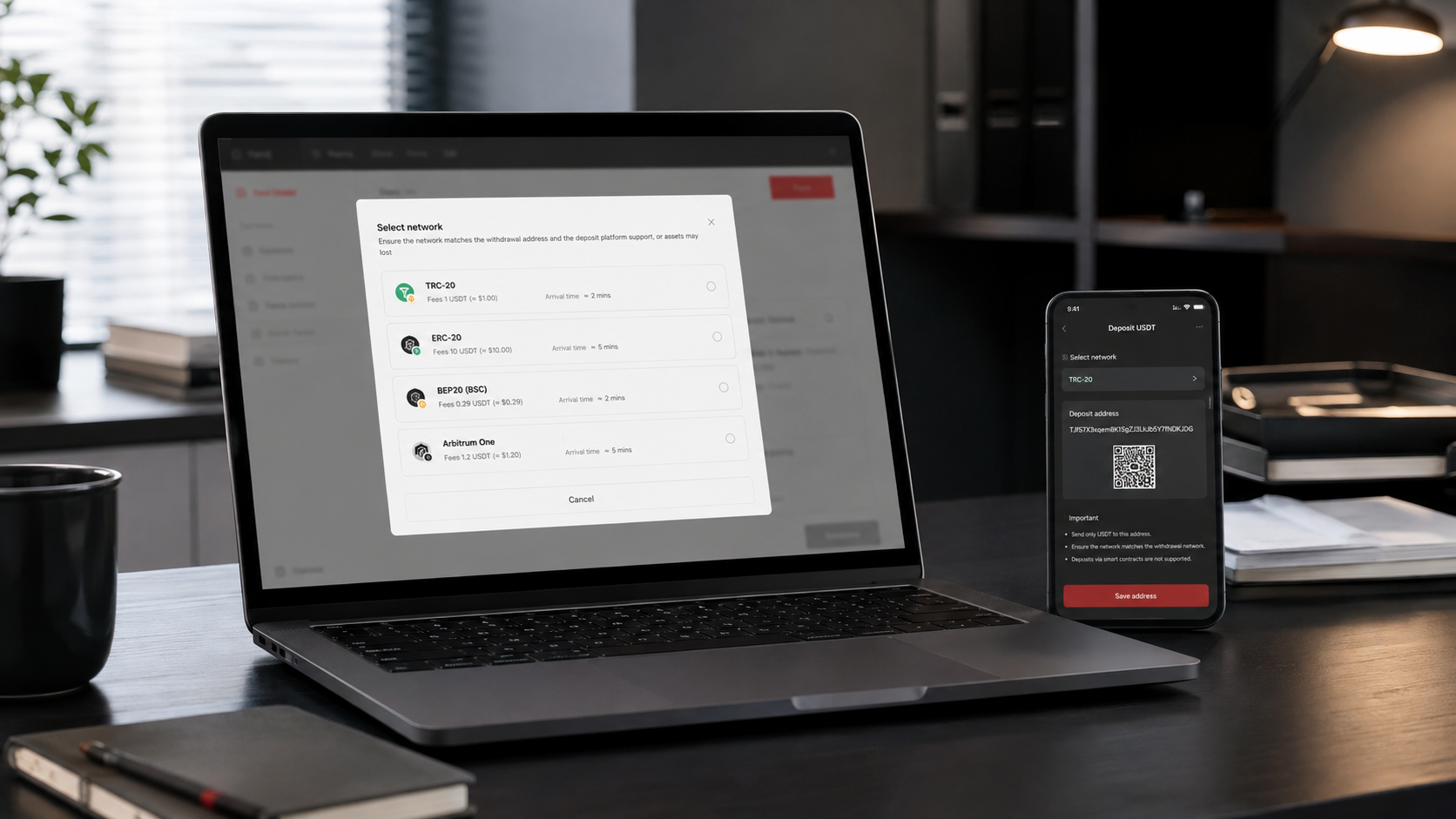
USDT TRC20 on the TRON network
TRC20 is the token standard on the TRON network. User addresses usually begin with the letter T. The TRON fee model relies on Bandwidth and Energy resources, and when those are insufficient the cost is covered in TRX. That is why, to send USDT yourself from a non-custodial wallet, the address must hold enough TRX or resources obtained through staking.
TRC20 is often chosen for everyday transfers between users and platforms that explicitly support USDT deposits on TRON. However, the network’s popularity is no substitute for verifying the details: the recipient’s service may temporarily suspend deposits, set a minimum amount, or not support TRC20 at all.
USDT ERC20 on the Ethereum network
ERC20 is the Ethereum token standard. Addresses use the 0x… format, and the network fee is paid in ETH. The cost of an operation depends on current load, gas parameters and the complexity of the smart contract interaction. As a result, an ERC20 transfer can be more expensive than an operation on other networks, especially during periods of heightened activity.
Ethereum makes sense when the recipient specifically requires ERC20, when the assets will be used within the Ethereum ecosystem, or when compatibility with a particular exchange, custodian or DeFi protocol matters. What counts is support for the specific route, not the network’s general reputation.
USDT BEP20 on BNB Smart Chain
BEP20 is the token standard on BNB Smart Chain. Addresses also use the 0x… format, so they can look identical to the address of the same wallet on Ethereum. This is one of the most dangerous causes of error: a valid address format does not prove that a platform will accept a token sent over BNB Smart Chain.
BNB is required to pay the network fee. On top of that, different services may use the label “USDT BEP20” for a token issued or bridged to BNB Smart Chain through a particular mechanism. Before transferring, you need to verify not only the USDT ticker but also the network, deposit support and — for a non-custodial wallet — the token contract address against an official source.
USDT on the Solana network
On Solana, addresses and transaction identifiers use the Base58 format and look nothing like Ethereum or TRON. The fee is paid in SOL. The network is designed for fast processing with low base costs, but the recipient must explicitly support USDT on Solana and the correct token mint.
Solana can be convenient for transfers between compatible wallets and services. At the same time, not every exchange, exchange service or payment platform supports this version of USDT, and temporary maintenance of deposits or withdrawals can make the route unavailable at the exact moment you need it.
Current contract addresses and the list of integrations are worth checking on the official Tether supported protocols page, and deposit availability directly with the recipient’s service.
Get a consultation
A quick case assessment — no obligation
Which USDT network is best: a comparison by practical criteria
There is no universally “best” network. The right choice is determined by compatibility between the parties, the purpose of the assets, the availability of the native coin for fees, and the terms of the specific platform.
TRON (TRC20)T…TRX or TRON resourcesThe recipient explicitly supports USDT TRC20
Ethereum (ERC20)0x…ETHYou need the Ethereum ecosystem or ERC20 specifically
BNB Smart Chain (BEP20)0x…BNBBoth sides support BNB Smart Chain and the specific token
SolanaBase58 addressSOLThe recipient supports USDT on Solana and the correct mint
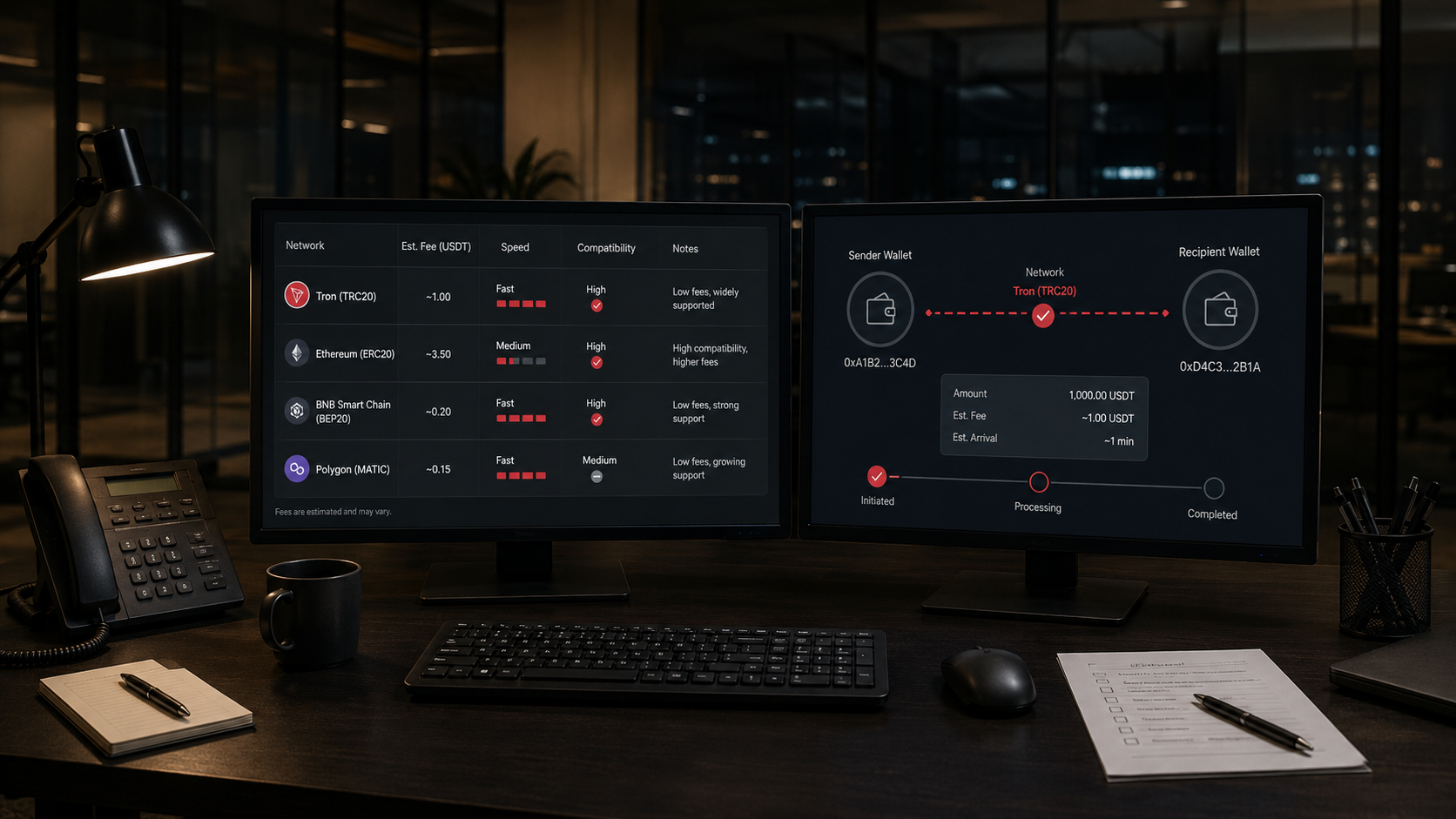
1 Support on the recipient’s side. This is the main criterion. On the exchange’s deposit page you need to select USDT, open the list of networks and copy the address for exactly the network you need. If an option is not on the list, you cannot send through it.
2 Total cost of the operation. An exchange may charge its own flat fee, which is not the same as the actual network fee. In a non-custodial wallet you also need to account for having TRX, ETH, BNB or SOL available. What you should compare is the final amount the recipient will receive.
3 How the USDT will be used next. If the token has to be deposited into a particular protocol or forwarded onward after receipt, it is better to choose a compatible network from the start. Otherwise you will have to use an exchange, a swap or a bridge and pay fees a second time.
4 Deposit and withdrawal availability. Platforms may temporarily suspend a specific network because of an upgrade or maintenance. Check the status immediately before transferring, not against an old instruction or a screenshot.
5 The token contract. The same ticker can be used by a counterfeit asset. For a non-custodial wallet, verify the contract or mint against official data. For more on how tokens work, read our article “What is a token in cryptocurrency”.
How to transfer USDT safely and not pick the wrong network
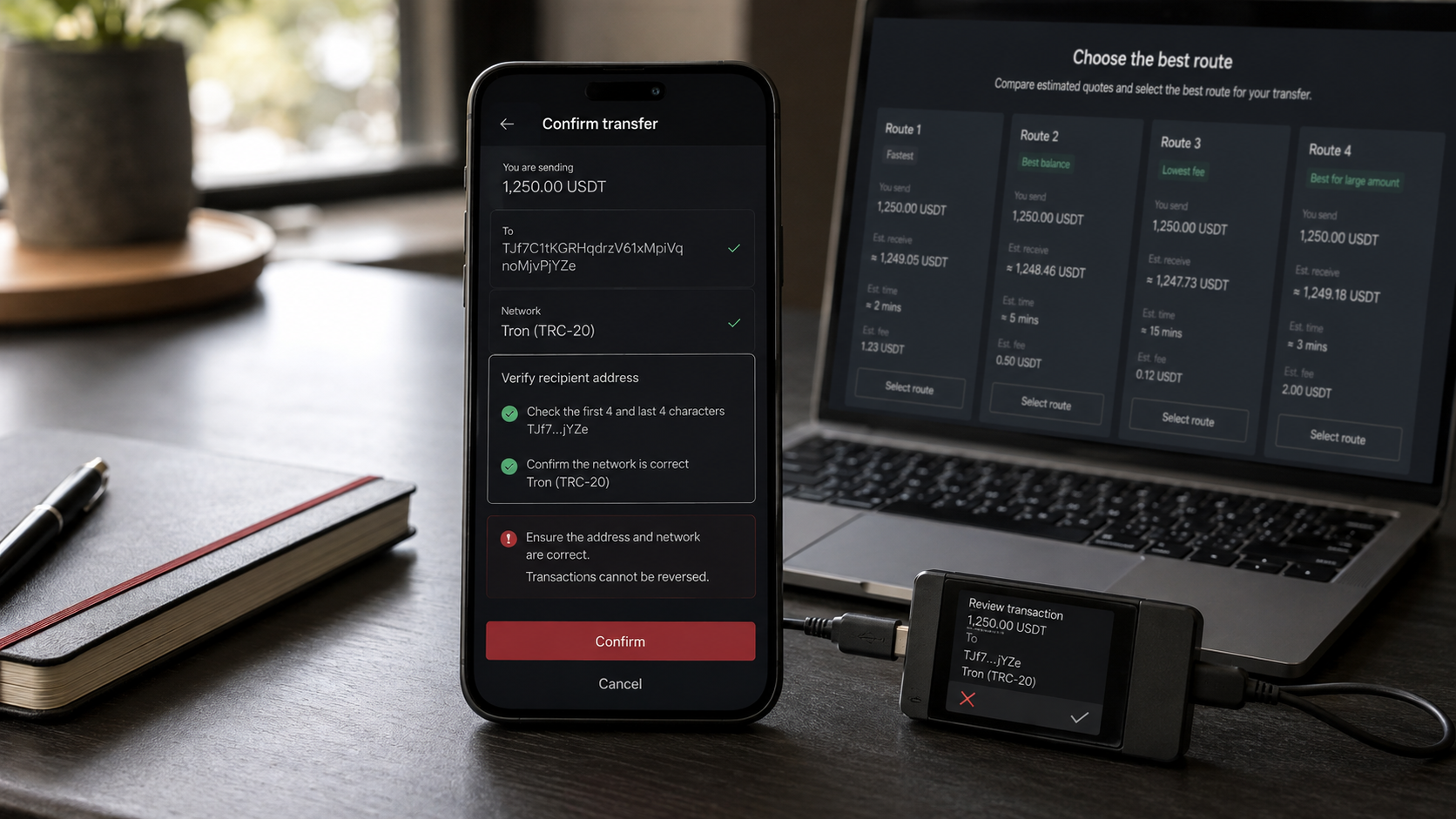
- Confirm the asset and network in words. Asking only for “a USDT address” is not enough. You need a specific answer: USDT TRC20, USDT ERC20, USDT on BNB Smart Chain or on Solana.
- Generate the deposit details in the recipient’s service. Do not use an address from an old conversation if the platform may have changed its rules or infrastructure.
- Match the network on both sides. The network name in the withdrawal form must exactly match the network name on the deposit page.
- Check the whole address. Compare the first and last characters, but do not stop there, because there are attacks that substitute look-alike addresses. It is safer to copy the details again from the official interface.
- Check for a Memo or Tag. For the USDT networks discussed here one is often not required, but a specific service may use an additional identifier. Follow its current instructions exactly.
- Review the fee and the minimum amount. Check the minimum deposit, the withdrawal fee and the amount that will actually arrive separately.
- Make a test transfer. For a significant amount, send a small portion first, wait for it to be credited, and only then repeat the operation using the same verified details.
- Save the TxID. The identifier lets you verify the transaction on the blockchain and give support precise data. If the funds do not appear, use our separate article “Cryptocurrency did not arrive: how to check a transaction by TxID”.
If the USDT has already been sent over the wrong network, do not repeat the operation and do not give your seed phrase or private key to third parties. Whether recovery is possible depends on control over the address, support for the network in the wallet or on the exchange, and the technical route involved. See also our article on sending cryptocurrency to the wrong network or the wrong address.
Crypto transfer verification by ProDefence
If you are planning a significant transfer, do not understand the difference between networks, or the funds have already failed to appear on the recipient’s side, ProDefence will help establish the actual network and check the TxID, the address, the token contract and the possible options for what to do next. We never ask for a seed phrase, a private key or an exchange password — the public details of the operation are enough for an initial blockchain analysis.
Contact ProDefence before transferring a large amount or after a mistake. Our specialists will carry out a technical analysis of the situation and provide a well-founded course of action without unrealistic guarantees of recovery.
Transfer verification
Planning a large USDT transfer or already picked the wrong network?
Send us the TxID, the network and a short description. ProDefence will check the details and advise a technically sound course of action without asking for your seed phrase.
Confidential. No seed phrase requested.


