


After a crypto transfer, the sender’s wallet or exchange may show the status “completed” while the recipient still does not see the funds. This does not always mean the assets are lost. The transaction may be awaiting confirmation, the service may not have broadcast it to the blockchain yet, the exchange may be waiting for the required number of confirmations, or the wallet may simply not be displaying the relevant network or token.
The first objective reference point in this situation is the TxID, or transaction hash. It is the identifier that lets you find the operation in a block explorer and check its actual status, the sender address, the recipient address, the asset, the amount, the fee and the block it was included in.
There is no need to immediately send a second transfer. First establish whether the transaction exists on the correct network and what exactly happened on the blockchain.
What a TxID is and how to check transaction status with it
A TxID is the unique identifier of a specific blockchain transaction. In Ethereum and other EVM networks it is often called a transaction hash and displayed as a long string beginning with 0x. In TRON, Bitcoin and Solana the format differs, but the purpose is the same: to find the record of the operation on the corresponding blockchain.
The TxID should be taken from the exchange’s withdrawal history, the operation details in the wallet, or directly from the sender. A screenshot with the word “successful” is not a substitute for the identifier: it does not allow independent verification of the network and the details. Binance’s official help pages also recommend using the TxID from the deposit or withdrawal history when contacting support.
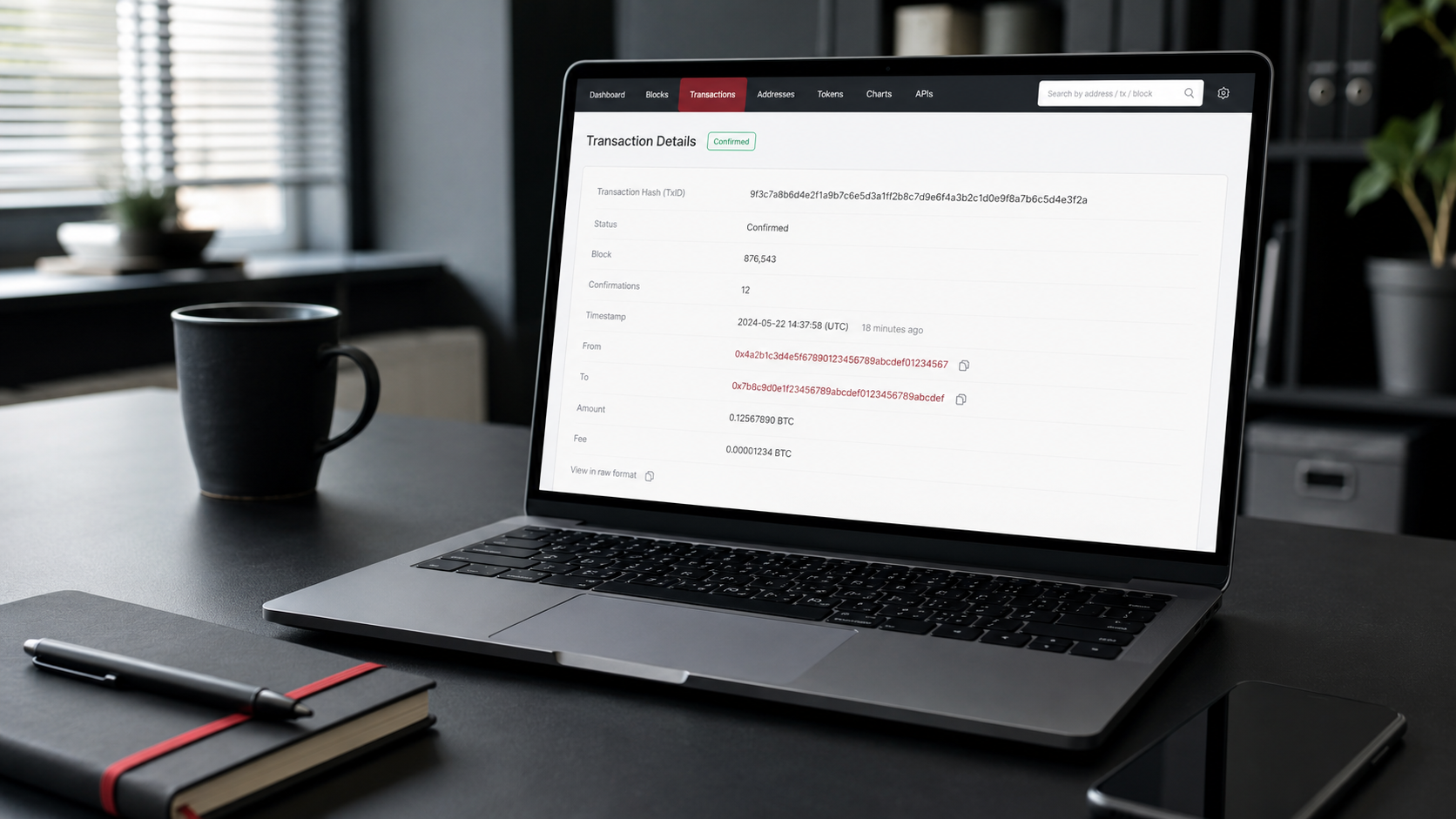
How to pick the right block explorer
- Ethereum (ERC20): Etherscan or another Ethereum explorer;
- BNB Smart Chain (BEP20): BscScan;
- TRON (TRC20): TRONSCAN;
- Solana: Solana Explorer;
- Bitcoin: a Bitcoin blockchain explorer.
The same 0x… string has to be searched for on the exact EVM network the transfer was made on. The absence of a transaction on Etherscan does not prove it does not exist: the USDT may have been sent over BNB Smart Chain, Arbitrum, Polygon or another compatible network.
What the main statuses mean
Not foundThe TxID is wrong, the wrong network was selected, or the operation has not been broadcast to the blockchain yetConfirm the network and status with the sender’s service
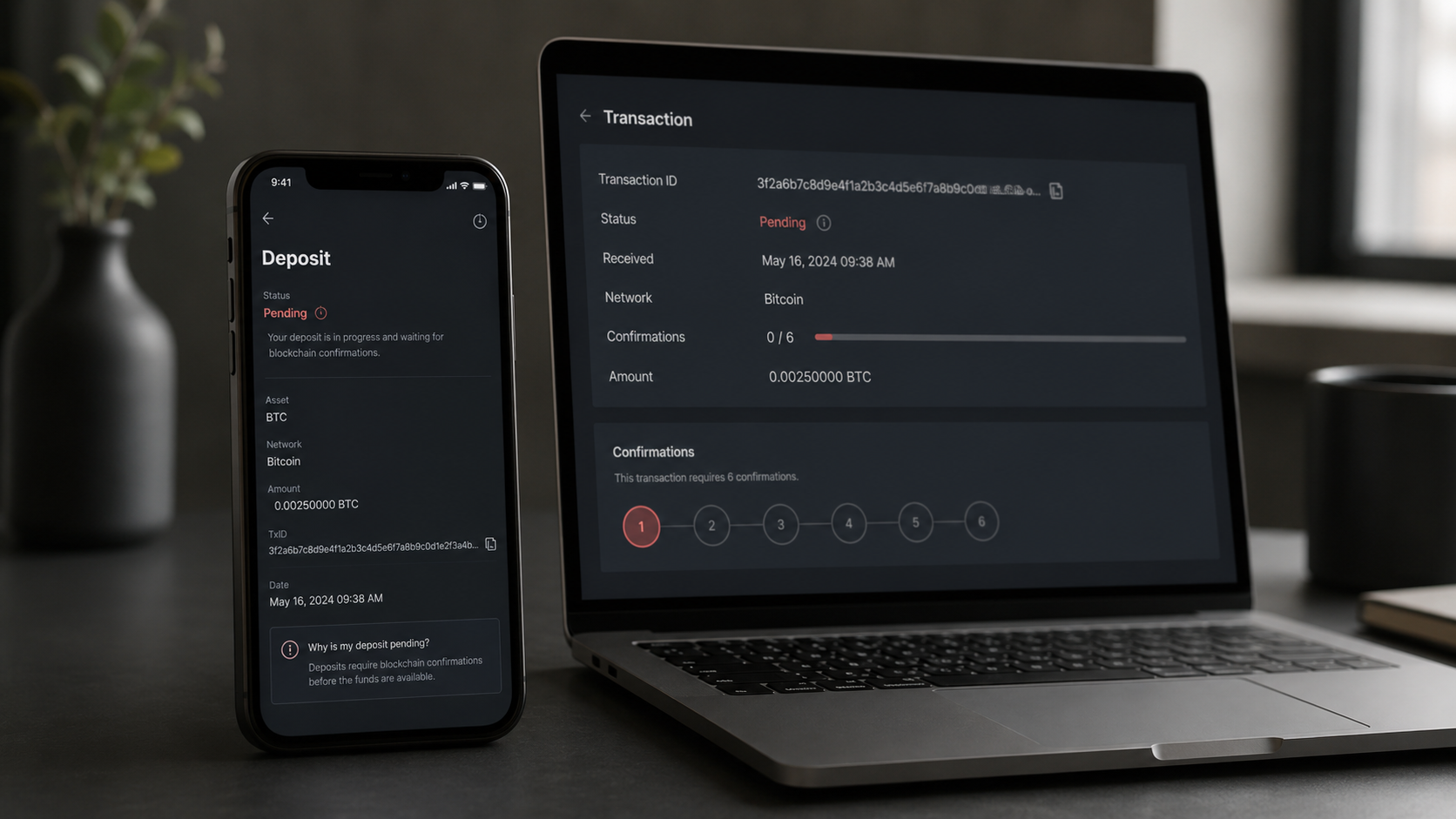
Pending / UnconfirmedThe transaction has been broadcast but is not yet included in a confirmed blockDo not duplicate the transfer; monitor the status and the wallet’s options
Failed / RevertedExecution ended with an error; no state change occurredCheck the reason for the error and the balance; the fee may have been charged
Success / ConfirmedThe operation is included in the blockchain and was executedVerify the address, token, amount, network and the recipient’s requirements
Dropped / ReplacedAn earlier EVM transaction was replaced by another one with the same nonceFind the new transaction hash and check it
On Solana, an RPC node accepting a transaction does not in itself guarantee confirmation: the actual result is checked via the signature status. On Ethereum, a block explorer separately shows whether a transaction is pending, has failed, or was successfully included in a block. That is why you should assess the network data rather than only the messages in the wallet interface.
Get a consultation
A quick case assessment — no obligation
Why cryptocurrency is not displayed after a successful transaction
If the blockchain shows Success, that confirms the operation was executed using the specified details, but it does not guarantee that the asset will appear automatically in a particular app or be credited to an exchange’s internal balance. You need to work through several scenarios in order.
The exchange is waiting for the required number of confirmations
Custodial platforms credit a deposit once their own minimum confirmation threshold is reached. That threshold depends on the asset, the network and the service’s policy, and it can change. The transaction may already be visible on the blockchain while the deposit remains in processing. Binance states directly that crediting takes place after the number of network confirmations set by the system has been reached.
The wrong or an unsupported network was selected
Ethereum and BNB Smart Chain addresses can look identical, but assets are accounted for on different blockchains. If the exchange issued an address for ERC20 and the sender chose BEP20, the transaction can be successful on BNB Smart Chain yet not be credited automatically on the exchange. Whether a return is possible will depend on whether the platform controls the corresponding key and whether it has a procedure for recovering wrong-network deposits.
Before the operation it is worth reading our article on choosing a USDT network. If the mistake has already been made, see the separate procedure for sending cryptocurrency to the wrong network or the wrong address.
The token is on the address but has not been added to the wallet
A non-custodial wallet may not display a token automatically. If the explorer confirms the correct recipient address and the genuine asset contract, it is sometimes enough to switch to the right network and add the token using the official contract or mint address. Do not copy a contract from random messages: counterfeit tokens can circulate under the USDT ticker.
A Memo, Tag or other identifier was not provided
Some platforms use a shared deposit address together with an additional Memo or Tag to identify the specific user. If it is missing or incorrect, the assets may come under the platform’s control without being credited to a personal balance. In that situation you need to contact official support with the TxID and proof of the operation.
The amount is below the minimum deposit or a different contract was used
An exchange may set a minimum amount for crediting. A separate risk is a token with the same symbol but a different contract address. The blockchain will show a successful transfer, but the service will not recognise such an asset as supported USDT.
The deposit is undergoing a technical or compliance review
A platform may temporarily suspend deposits on a specific network, carry out maintenance, or route an operation to a manual AML review. In that case you should preserve the correspondence history, avoid filing contradictory requests, and submit documents only through official channels. If the restriction affects the entire account, see our article on a blocked exchange account or blocked withdrawal.
It is also important to check not only the top-level Value field but also the Token Transfers section or the actual balance changes. When a smart contract is involved, the main transaction may carry a zero native-coin value while the token movement is shown in the event logs.
What to do if the deposit has not arrived: a step-by-step procedure
- Do not send a second transfer. First establish the status of the first operation so you do not double the payment or repeat the network mistake.
- Save all the source data. You will need the TxID, the asset name, the network, the amount, the sender and recipient addresses, the date, the time, screenshots and the name of the service.
- Open the correct block explorer. Paste the TxID into the search field and make sure the explorer matches the network of the transfer.
- Check the status and the block. Record whether the transaction is pending, failed or successful, how many confirmations it has, and whether it was replaced by another one.
- Compare the recipient address character by character. Match it against the details issued by the exchange or the wallet. Bear in mind that an address may have been substituted in the clipboard or in the transaction history.
- Check the asset and the contract. A ticker alone does not confirm a token’s authenticity. Compare the contract or mint against official data from the issuer and the deposit page.
- Check the Memo/Tag, the minimum amount and the status of the deposit network. This information should be taken from the platform’s current page, not from an old instruction.
- Contact the responsible party. If no TxID was created, contact the sender’s service. If the transaction is successful but the exchange has not credited the deposit, contact the recipient exchange. Set out the facts in order and include a link to the transaction.
Security: checking a blockchain transaction does not require a seed phrase, a private key, a password, 2FA codes or remote access to your device. Anyone asking for such data under the guise of “returning your deposit” may be a scammer.
If the transfer is connected with fraud or an unauthorised withdrawal, then in addition to checking the TxID you need to trace the onward route of the assets quickly. Our article on what to do after cryptocurrency theft is useful in that situation.
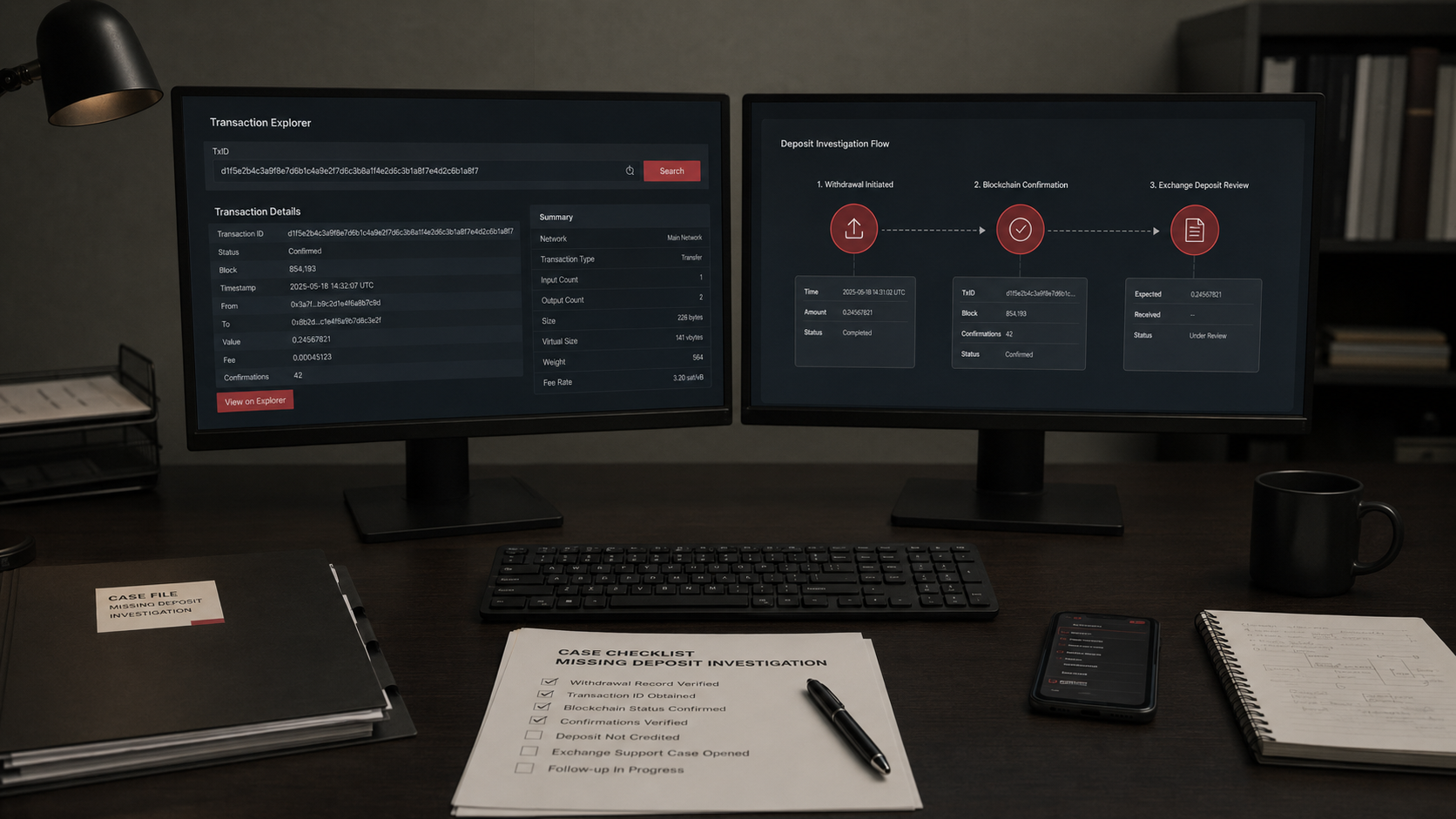
Analysis of an uncredited transaction by ProDefence
ProDefence checks the TxID, the network, the actual movement of the asset, the contract address, the deposit details and the possible reasons why it was not credited. Where necessary, we build a technical timeline of the operation and help prepare a structured request to the exchange, wallet or other service.
If your cryptocurrency has not arrived, contact ProDefence before repeating the operation. A public TxID and a description of the situation are enough for an initial analysis. We will determine what the blockchain confirms and which next steps are technically sound, without guaranteeing that funds will be credited or returned.
Uncredited deposit
Cryptocurrency did not arrive in your wallet or on the exchange?
Send us the TxID, the network and a short description. ProDefence will check the transaction status and help you understand why the deposit is not showing up.
Confidential. No seed phrase requested.


